> For the complete documentation index, see [llms.txt](https://docs.stacks.co/llms.txt). Markdown versions of documentation pages are available by appending `.md` to page URLs; this page is available as [Markdown](https://docs.stacks.co/get-started/build-a-frontend/post-conditions.md).
# Post-Conditions
A unique security mechanism on Stacks to protect user funds
### What are post-conditions?
Post-conditions are assertions about an on-chain transaction that must be met; otherwise, the transaction will abort during execution. Post-conditions act as a safety net, allowing you to specify what state changes can occur in a transaction. This logic helps limit the amount of damage that can be done to a user and their assets, whether due to a bug or malicious behavior.
Post conditions are an additional safety feature built into the Stacks protocol itself that help to protect end users. Rather than being a feature of Clarity smart contracts, they are implemented on the client side and meant to be an additional failsafe against malicious contracts.
Post conditions are a set of conditions that must be met before a user's transaction will execute. The primary goal behind post conditions is to limit the amount of damage that can be done to a user's assets due to a bug, intentional or otherwise.
They are sent as part of the transaction when the user initiates it, meaning we need to implement post-conditions on the frontend. Whenever you are transferring an asset (fungible or non-fungible) from one address to another, you should take advantage of post conditions.
{% hint style="info" %}
Head to the dedicated section on [post-conditions](/post-conditions/overview.md) for more in-depth information.
{% endhint %}
We're going to use [stacks.js](https://github.com/stx-labs/stacks.js/tree/b7f0ed3f87cd4c5bfb7ab3c4bd8787c2018e3cec/packages/transactions#post-conditions) to familiarize ourselves with constructing post-conditions on the frontend. And there are several different ways to construct post-conditions based on asset type.
### Simple example
In this example, we are attaching a post-condition statement to a contract call transaction to protect the user's assets in the event the contract is malicious.
import { request } from '@stacks/connect'
import type { TransactionResult } from '@stacks/connect/dist/types/methods'
import { Pc } from '@stacks/transactions'

let postCond_1 = Pc.principal('ST11V9ZN6E6VG72SHMAVM9GDE30VD3VGW5Q1W9WX3')
  .willSendEq(1)
  .ft('ST1F7QA2MDF17S807EPA36TSS8AMEFY4KA9TVGWXT.sbtc-token', 'sbtc-token')

let result: TransactionResult = await request('stx_callContract', {
  // ...
  postConditions: [postCond_1],
  postConditionMode: 'deny',
  // ...
})
Let's walkthrough the example above line-by-line to see what's happening when you attach a post-condition statement to a transaction.
{% stepper %}
{% step %}
#### Declare post-condition statement
```typescript
let postCond_1 = Pc
// Specify who the sender of the expected sBTC transfer will originate from
.principal('ST11V9ZN6E6VG72SHMAVM9GDE30VD3VGW5Q1W9WX3')
// Specify the equality operator of the amount expected to be sent
.willSendEq(1)
// Specify the fungible token's contract principal and asset name
.ft('ST1F7QA2MDF17S807EPA36TSS8AMEFY4KA9TVGWXT.sbtc-token', 'sbtc-token')
```
In this statement, you are declaring that the principal (usually the user that'll call this function) `ST11V9ZN6E6VG72SHMAVM9GDE30VD3VGW5Q1W9WX3` should only expect to send out *exactly* 1 satoshi of sBTC during the execution of this contract call transaction.
{% endstep %}
{% step %}
#### Include post-condition statement to transaction params
The transaction param of `postConditions` accepts an array of different post-condition statements. This means you can declare many post-condition statements of what the user should expect to happen during the execution of the transaction. This include any asset transfers coming from the user or from a contract.
{% endstep %}
{% step %}
#### Determine post-condition mode
The other related transaction param of `postConditionMode` is a special setting that is useful when you want to deal with other unexpected asset transfer events that the developer or user may not be aware of.
By setting the `postConditionMode` to `deny` we are stating that if any other asset transfers, besides the ones we've declared, happen during the execution of the transaction, then force the entire transaction to fail.
{% endstep %}
{% endstepper %}
### How post-conditions appear to the user
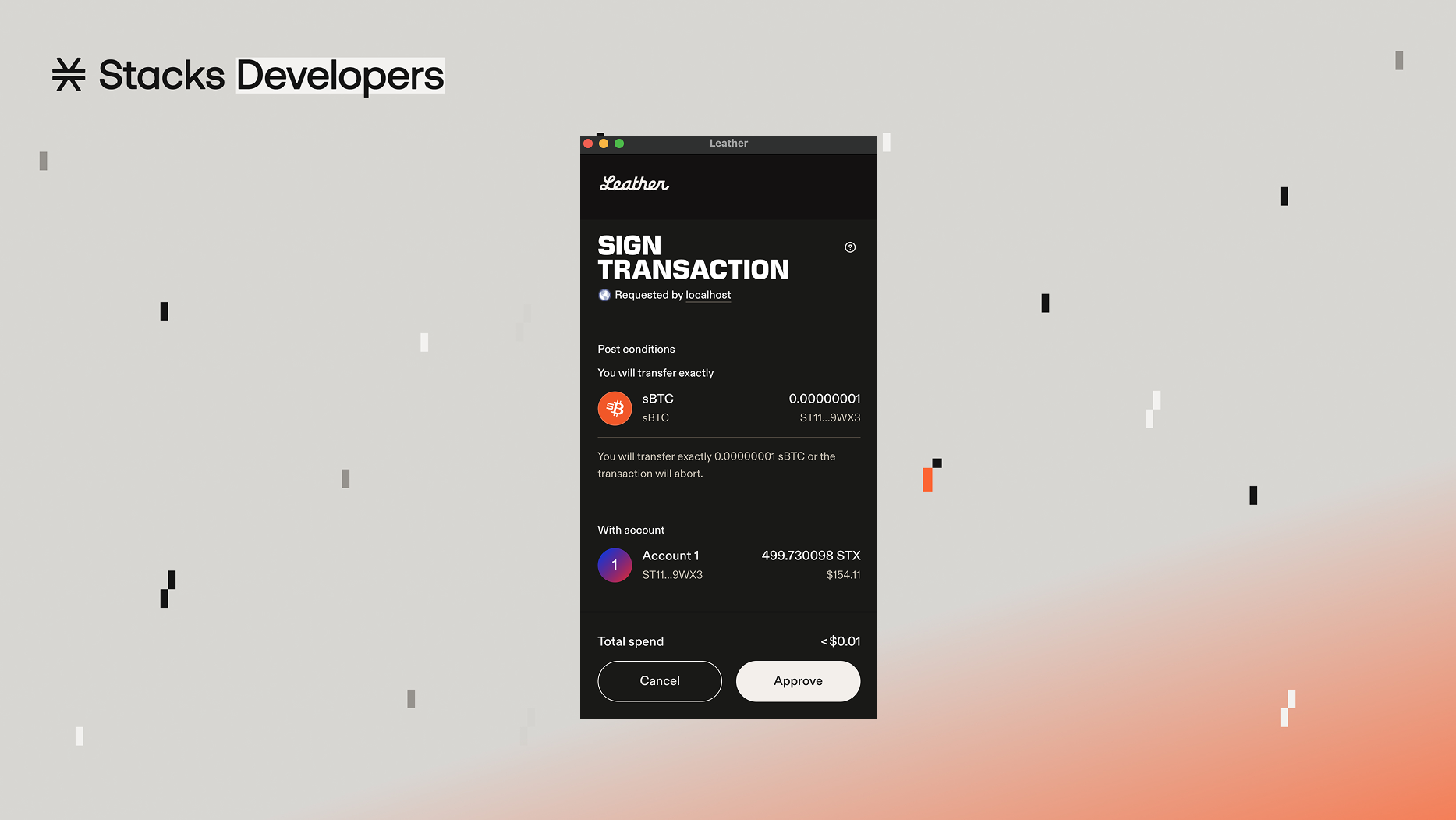
Since post-conditions are declared on your frontend code, they also need to be visually displayed to users. Stacks-supported wallets handle that by displaying post-conditions on the transaction confirmation modals that popup when a user needs to confirm/approve a transaction.
Post-conditions when appeared in a wallet's transaction confirmation modal
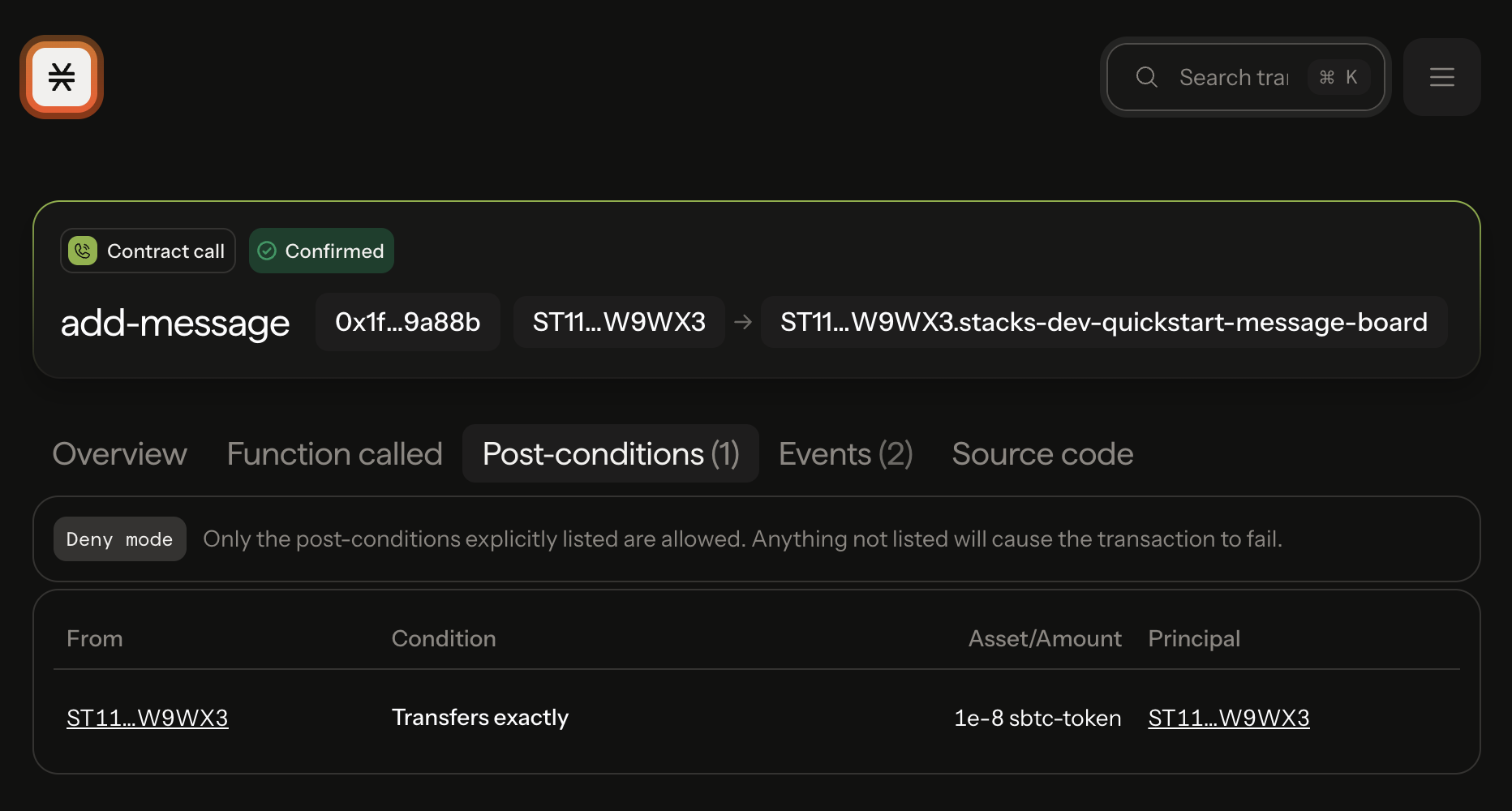
After transaction confirmation and broadcasting, users are also able to see what post-conditions were set in their transaction on the transaction page of the Stacks Explorer. This gives users and developers more confidence in analyzing transactions.
Analyze post-conditions set in transactions on the transactions page of the Stacks Explorer
***
### Additional Resources
* \[[Post-Conditions](/post-conditions/overview.md)] Dedicated section on post-conditions in these docs
* \[[Hiro YT](https://youtu.be/xXgQB8NfdEY?si=eSZp4tlLOCkkqGRS)] ELI5: Post-Conditions on Stacks
---
# Agent Instructions
This documentation is published with GitBook. GitBook is the documentation platform designed so that both humans and AI agents can read, navigate, and reason over technical content effectively. Learn more at gitbook.com.
## Querying This Documentation
If you need additional information that is not directly available in this page, you can query the documentation by asking a question.
Perform an HTTP GET request on the following URL with the `ask` and `goal` query parameters:
```
GET https://docs.stacks.co/get-started/build-a-frontend/post-conditions.md?ask=&goal=
```
`ask` is the immediate question: it should be specific, self-contained, and written in natural language.
`goal` is what the user is ultimately trying to achieve, the reason they need the answer. Sharing it helps GitBook give you a better, more relevant answer. A goal is most helpful when it describes the outcome the user wants rather than restating the question. For example, with `ask=how do I create an API token`, a goal like `automate deployments from our CI pipeline` lets GitBook tailor the answer to that use case.
The response will contain a direct answer to the question and relevant excerpts and sources from the documentation.
Use this mechanism when the answer is not explicitly present in the current page, you need clarification or additional context, or you want to retrieve related documentation sections.